
In part one we looked at why doors, cameras, and alarms now sit in your technology world and what that means for ownership and governance across the business. This time, we will focus on the physical security data those systems create, particularly the access control data sitting in your security event logs.
If you are a CIO or IT leader, treat this as a practical guide to bringing access control and other physical security data into your normal analytics conversations.
Key takeaways
- Security systems generate valuable business data
- Simple security data can drive efficiency and safety
- Access control data reveals how spaces are really used
- Strong data guardrails build trust and protect privacy
From swipes and sensors to security data stories
Every time someone presents a card, uses a mobile credential, enters a PIN, triggers a camera, forces a door, or arms an alarm, your access control system creates a new event.
On their own, these events are small facts.
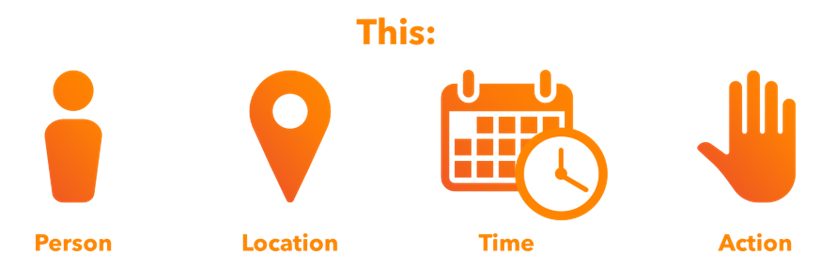
- This person
- This place
- This time
- This action
For CIOs, the value appears when you treat these events the same way you treat application logs or web analytics: as a way to understand behavior and make better decisions.
The magic appears when you start to group them into stories, and start exploring:
- How does a typical day really start and end at each site?
- Which entrances carry most of the load, and which are hardly used?
- Are there areas that are almost always empty but still heated, cooled, and lit like busy spaces?
- Do some roles spend much more time on site than your plan expects?
You do not need fancy analytics tools to unlock these insights. Basic occupancy data and light analytics are often enough to create charts that help you save money or improve the experience for people.
Three practical access control data stories you can tell
Let us look at three simple stories that most organizations can build with what they already have.
Comfort and energy efficiency
This is where access control data quietly starts to support your sustainability and energy-efficiency goals.
By linking access control events with your building management systems (BMS) through simple integration, you can match comfort settings to real occupancy.
Practical actions include:
- Using first person in and last person out times to guide when heating or cooling starts and stops.
- Bringing specific areas to full comfort levels only when people actually arrive.
- Spotting patterns where equipment runs for hours in spaces that are rarely used.
Often, the first step is simply showing your facilities team a chart of actual arrival patterns for a floor or building, built from access control data. That picture alone can improve scheduling and reduce wasted energy.
Safety, evacuation and muster lists
During an evacuation, the classic question is "who is still inside" and "where might they be."
Access control driven muster lists are not perfect, but they offer a far better starting point than clipboards and guesswork.
With the right design, access data can:
- Provide live muster lists of people who have entered but have not yet left a site.
- Automate the muster process so fire wardens can focus on areas of concern.
- Support post event reviews to understand what really happened.
The aim is not to replace people on the ground, but to equip them with better information during high pressure situations.
In part five, we will come back to this and look at how the same data helps with compliance and proving that you followed your own rules.
Space usage, occupancy, and fair charge back
When multiple teams or business units share sites, there are often debates about who uses what.
By joining access control events with simple business data such as department or cost center, you can generate clear occupancy reports that:
- Show which teams are using which buildings and when.
- Support fair charge back for shared spaces, services, or parking.
- Back up space planning decisions with facts instead of feelings.
Again, this does not need to be complex. Start with a few months of occupancy data and a small number of locations. The goal is a clear story, not an enterprise occupancy analytics platform.
You might discover that a ‘busy’ floor rarely goes above 40% occupancy. Insights like this can influence lease renewals, project planning, and space optimization.
Where security data tends to live
Behind these stories sit the building blocks of your physical security data estate. These typically include:
- The live system where events are created as people move and sensors trigger.
- The main database where those events are stored for reporting and search.
- Any copies that are sent to other systems, such as building management, payroll, or safety tools.
From an IT perspective, each of these is just another application with software, a database, and storage. The twist is that the data reveals who was where and when. This means extra care is needed around purpose, retention, and access control.
Good practice includes:
- Knowing which systems hold this data and who owns each one.
- Agreeing how long events and reports are kept and why.
- Making sure copies in other systems follow the same rules.
Guardrails for people data
As with any data about people, especially physical security data, you need to think carefully about privacy and trust. Used well, security data improves safety and workplace efficiency. Used poorly, it can feel intrusive.
A few simple guardrails make a significant difference:
- Be clear on purpose: Decide what you will and will not use the data for and write it down.
- Limit access: Only give detailed event access to people who genuinely need it for their role.
- Watch the details: Often you can work with counts and trends instead of named individuals.
- Set retention rules: Keep data long enough to be useful, but not so long that it becomes a risk.
- Transparent communication: Clear, honest communication builds trust and reduces rumors.
If you already work with privacy or legal teams on HR or CRM systems, involve them in these discussions as well. The same good habits apply here.
A simple workshop CIOs can run with facilities and safety
To get everyone looking at the same picture, try a simple workshop with key stakeholders. Aim for one person from IT, one from facilities or property, and one from health and safety. Then:
- Pick one site.
- List the key questions people have about daily operations. For example: "When are we busiest?" or "Where are the pinch points in the morning?”
- Mark which of those questions you could answer with access control data and other security data you already collect.
- Choose one or two questions and agree who will pull a simple report or export.
- Meet again to look at the results and decide on one small change to try.
- Capture the before and after on one page for leadership or budget discussions.
Keep it light. The aim is to prove that these systems can answer real business questions, not to launch a huge project.
What comes next
You now have a better feel for how security data can tell useful stories about your sites, and how access control data can sit alongside your other CIO dashboards and reports.
In part three, we will look at the risks that appear when these systems are unmanaged and how to tackle them with calm, boring, and very effective governance habits.
Read the next blog in this series: Boring Habits That Fix Scary Risks