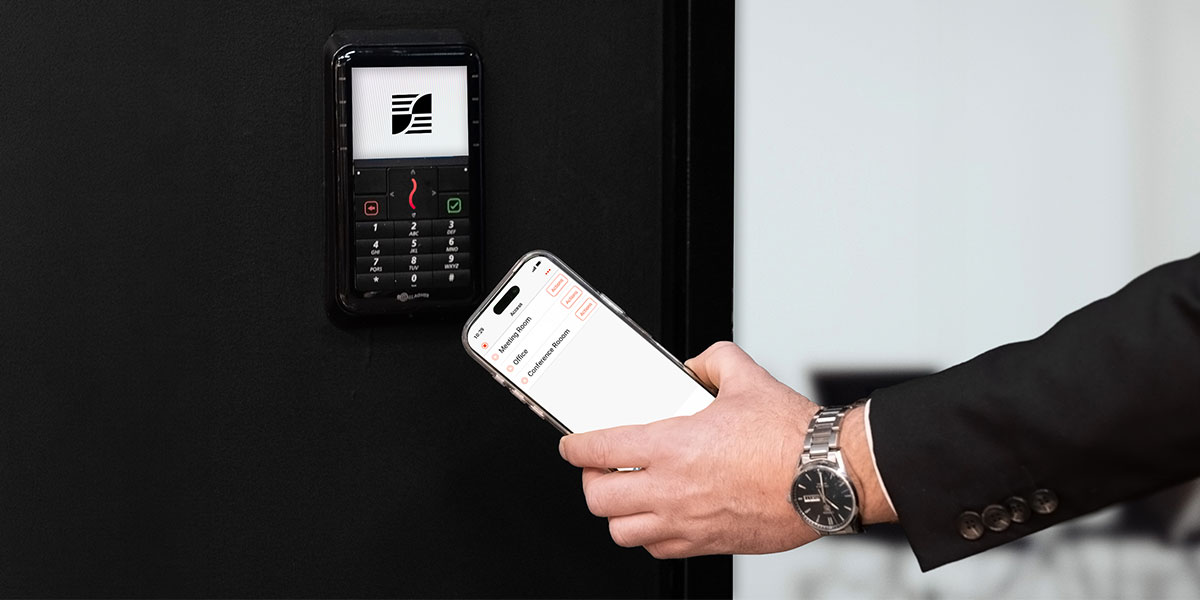
A keyless entry system for business removes a quiet but persistent operational tax: rekeying locks, chasing down unreturned keys, and wondering whether someone made an unauthorized copy before turning in their badge. There's no audit trail, no remote revocation, and no way to know who walked through which door. That's not a security inconvenience, it's a compounding liability that grows with every hire, every contractor, and every access request your team still processes manually.
Fortunately, the commercial keyless entry market has matured significantly over the past several years, driven by the rise of cloud-managed platforms, widespread mobile credential support, and deeper enterprise integrations. Integrated platforms have reshaped what's possible introducing automated onboarding, compliance-ready audit logs, and mobile credentials that work the way your workforce already operates. This guide covers the main technology options, which vendor features matter at enterprise scale, and how to move from evaluation to a live pilot without a painful deployment.
Key takeaways
- A keyless entry system replaces the manual costs of physical keys, rekeying, unreturned badges, and unaudited access, with credentials that can be issued, changed, or revoked instantly and logged automatically.
- Cards, mobile credentials, and biometrics each solve a different problem. The right mix depends on the door, not a blanket policy across the site.
- Enterprise buyers should look for certifications like UL 294, SOC 2 Type II, and FIPS 201-3 when evaluating equipment.
- The deployment plan and the technology choice need to be built together. A systems only pays off if the implemented solution matches how the organization actually operates.
What are keyless entry systems for business?
A commercial keyless entry system replaces physical keys and locks with credentials, readers, and networked controllers that verify identity before granting access. Modern platforms manage that verification from the cloud, on-premises servers, or a hybrid of both, and issue, modify, or revoke access instantly without touching a single lock. For businesses, that shift turns access control from a physical, manual process into a data-driven one, with a full audit trail behind every door.
The technology behind keyless access
There are three main credential types in commercial access control, and each represents a different tradeoff between security, convenience, cost, and management overhead. The right choice depends on the use case, not on a universal ranking from best to worst.
Card and fob systems
Proximity and RFID cards remain the most widely deployed credential in offices, warehouses, and multi-user facilities. The entry experience is straightforward. An employee presents a card near a door reader, the reader checks the encoded identity against the access controller, and the door unlocks if access is valid. Cards are easy to issue and familiar to nearly every workforce. The main limitation of key card entry systems for buildings, is that a card can be shared, loaned, or duplicated without detection, and a lost card creates an unknown access gap until someone reports it.
Mobile credentials
Mobile credentials typically use Bluetooth or NFC to enable a phone to act as an access badge. The management advantage is real. There's no card stock to order or badge printer to maintain, credentials issue and revoke remotely and the same device can double as a locker key or meeting room booking pass. The real planning question isn't whether mobile works, it's whether your workforce and visitor mix can standardize on it, since a facility with high contractor turnover or BYOD restrictions may need cards as a fallback option rather than a full mobile-only deployment. Our mobile access deployment guide covers best practice for implementation if you're evaluating making the switch.
Biometrics
Biometrics solve the one problem card and mobile credentials can't: they eliminate shared or loaned credentials entirely, which is why they show up most often in server rooms, research labs, and other zones where accountability for a single individual matters more than throughput speed. The tradeoff is enrollment overhead and the privacy and data-storage obligations that come with storing biometric templates, so most buyers deploy it selectively rather than sitewide. For the full breakdown of biometric types and where each performs best, see our guide to biometric access control.
How keyless entry systems actually work
Every keyless entry system is built from four layers working together. The reader sits at the door and captures a credential, whether that's a card tap, a mobile credential, or a biometric scan. The credential itself is the identity token, issued to a person and tied to their access rights. The local controller makes the real-time decision to unlock or deny, checking the credential against the access rules stored at the door. Command software sits above all of it, the platform where administrators set policy, issue and revoke credentials, and pull audit reports across every door and site.
What features should enterprise buyers look for in a business keyless entry system?
Compliance and security certifications
Look for UL 294 listing on any equipment you're evaluating. It's the standard for access control system units, and many building codes, insurance underwriters, and authorities require UL 294-listed equipment for commercial installations. A handful of other certifications matter depending on your sector. Cloud-hosted platforms should carry ISO 27001 certification or a SOC 2 Type II report, evidence that a vendor's information security controls have been independently audited rather than self-declared. Government, defense, and critical infrastructure buyers should also confirm NDAA Section 889 compliance, which restricts certain foreign-manufactured components in federally connected systems, and FIPS 201-3 for PIV compliant solutions where federal identity standards apply.
Integration with HR, IT, and building management systems
The real value of a commercial keyless platform comes from its ability to connect with the systems your organization already runs. Look for native or well-documented API integration with your HR platform for automatic onboarding and offboarding, so that a terminated employee's access is revoked the moment they're removed from the directory. Integration with your building management system, IT security tooling, and visitor management workflow is equally important. Systems that can't connect to your existing infrastructure create manual workarounds that gradually erode the access control discipline you're trying to build.
Integration with hardware
Look for open-architecture support for third-party door hardware. A growing share of commercial buyers want the freedom to add or replace door hardware without replacing the entire access control platform. Open-architecture wireless access locks should connect into a unified platform, rather than running as a separate, disconnected system.
Resilience during power and network outages
Look for built-in offline capabilities designed to ensure that basic site security continues to operate during an outage, cyber event, and when network connection drops. Controllers should continue to grant or deny entry based on locally stored databases. And the moment connection to the server is restored, the hardware should automatically sync all stored historical events back to the main server to round out a resilience posture that survives network disruptions.
Scaling from one door to thousands
Single-site access control is, at a technical level, a largely solved problem. The harder challenge is maintaining consistent policy, audit accountability, and operational visibility across multiple buildings, campuses, or regions without rebuilding the access model every time you add a location
Enterprise-grade platforms are architecturally different from systems designed for a single office. They support centralized policy management, role-based access that travels with a user across sites, and a site hierarchy that lets administrators add locations without starting over. Gallagher Security's platform is built specifically for this scope, managing access from a single campus to critical infrastructure across multiple regions, with the compliance certifications and integration depth that large organizations require.
The benefits of keyless entry systems
Removing physical keys from a facility changes more than the hardware. Access can be issued and revoked in seconds rather than days, so a new hire is productive on day one and a departing employee's access ends the moment they are, with no locks to rekey and no keys to track down. Every entry generates a timestamped record, turning access control into a searchable audit trail that supports compliance reporting instead of a guessing game about who was where. Because credentials can be modified remotely, a lost phone or badge is a two-minute fix rather than a building-wide security incident. Mobile credentials add a further layer of value, letting people use the same device for the door, the locker, and the meeting room booking, while integration with HR and IT systems keeps every one of those changes tied to a single source of truth. The result is a system that scales with the organization instead of adding manual work at every hire, transfer, and termination.
How businesses deploy keyless access control in practice
Technology choices look different when you ground them in specific operational environments. Here's how three demanding sectors approach the problem.
In a data center, every server room carries a different clearance level, every entry event must be logged for compliance, and tailgating represents a material breach risk. Mobile credentials with biometric tie-in for high-clearance zones, combined with perimeter integration at the facility boundary, fit this environment well. Gallagher's platform is designed to support the granular access tiers, tamper-evident audit logs, and compliance reporting that data center operators require across co-location and owned facilities alike.
Airports operate under some of the strictest access control requirements in any sector: sterile zone management, contractor credentialing against watch lists, integration with broader physical security infrastructure, and the need for continuous operation under regulatory oversight. Gallagher has documented deployments at Sydney Airport and Christchurch International Airport, where the platform manages perimeter security and multi-tenant cardholder access at the scale and compliance level airport operations demand.
Universities present a different kind of complexity. Thousands of users with overlapping roles, buildings with different security requirements, and a credential lifecycle tied to enrollment and employment status. Manual processes break quickly at this scale. Mobile credentials synced to the HR and student information system mean a graduating student's access expires automatically, a new researcher gets building access on their first day, and the security team isn't chasing spreadsheets. The University of Sydney uses Gallagher's platform across 143 buildings and 150 research centers, a deployment that illustrates the scale this architecture is designed to handle.
Your deployment checklist
Before implementing a keyless entry system, follow this sequence to scope your site needs:
- Audit every door and existing wiring to establish accurate scope before any vendor quotes you a price.
- Identify high-priority access zones, typically locations with the highest security risk or the most manual management overhead today.
- Define credential types by user role, not by door, so your access model is consistent from the start.
- Confirm integration requirements with IT and HR before finalizing the platform selection.
- Set resilience requirements per door such as offline caching and backup power.
- Establish success metrics before go-live including audit log completeness, onboarding time reduction, credential revocation speed, and help desk ticket volume.
The deployment plan and the technology decision should be built together. A system that's technically capable but operationally misaligned with your team's workflows won't deliver the outcomes you're paying for.
Investing in a keyless entry system
The technology is mature and the deployment path is more straightforward than most buyers expect. The real decision isn't card versus mobile, or on-premise versus cloud. It's finding a keyless entry system for business that can grow with your operation, satisfy compliance requirements, and connect physical access to the broader security and operational picture your organization needs.
Gallagher Security is built for exactly that scope, access control, mobile credentials, smart locks for business environments, perimeter security, intruder alarms, and visitor management on a single integrated platform.
Take the checklist from the previous section, apply it to your current environment, and use it as the foundation for your vendor conversations. When you're ready to pilot a keyless entry system for business, contact Gallagher Security's team to build a deployment plan that fits your facilities, your timeline, and your compliance requirements.